Native macOS menu bar app
A clipboard that cleans and encrypts
Everything you copy is automatically stripped of trackers and hidden AI watermarks, encrypted with AES-256-GCM in the Keychain, and pasted back with a single shortcut.
Free early build. Works offline — no telemetry, no analytics, no required account.
Capabilities
Three things the app does well
Everything runs locally — no cloud, no accounts, no background requests. Text transformations and history storage stay on your Mac.
01
Clean Text
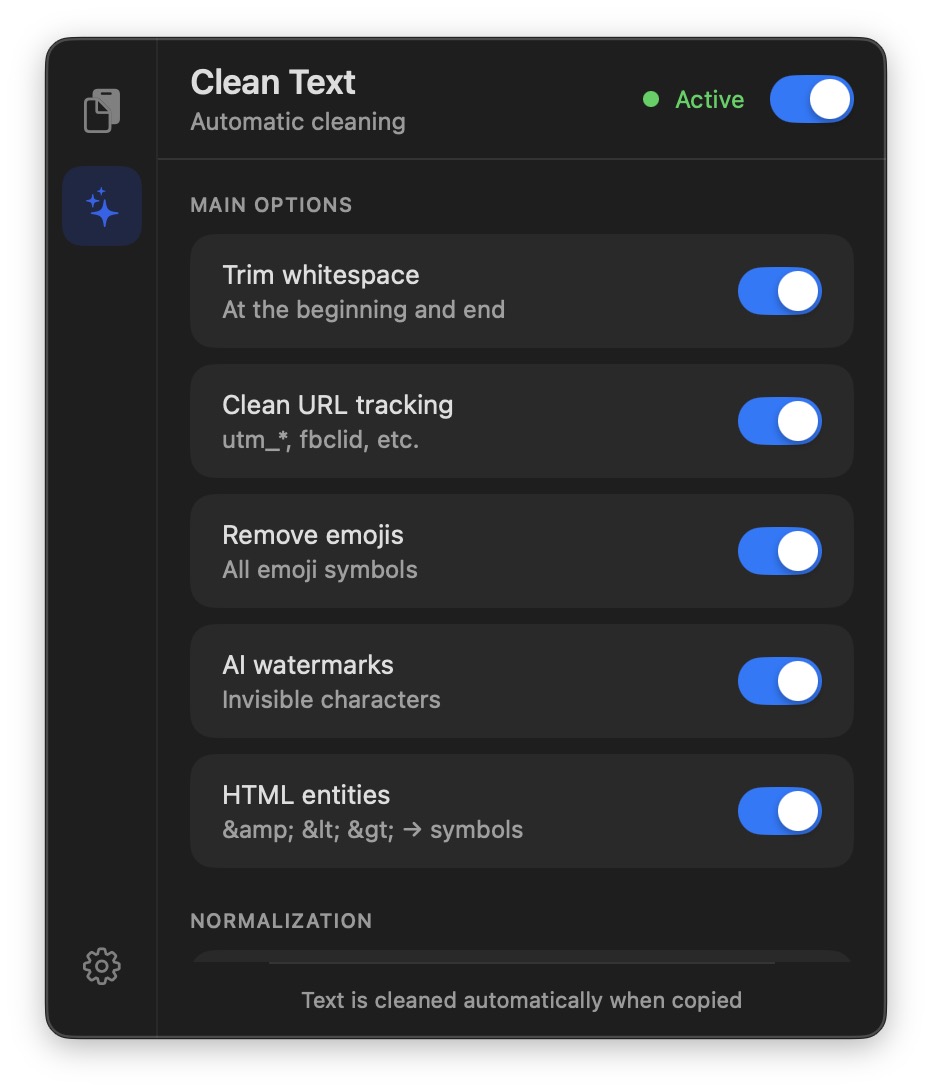
Strips UTM and tracking parameters from links, removes invisible AI watermarks (zero-width Unicode), decodes HTML entities, normalizes curly quotes, em-dashes, ellipses, line breaks, and lists. A code-detection pass leaves source code untouched.
02
Encrypted history
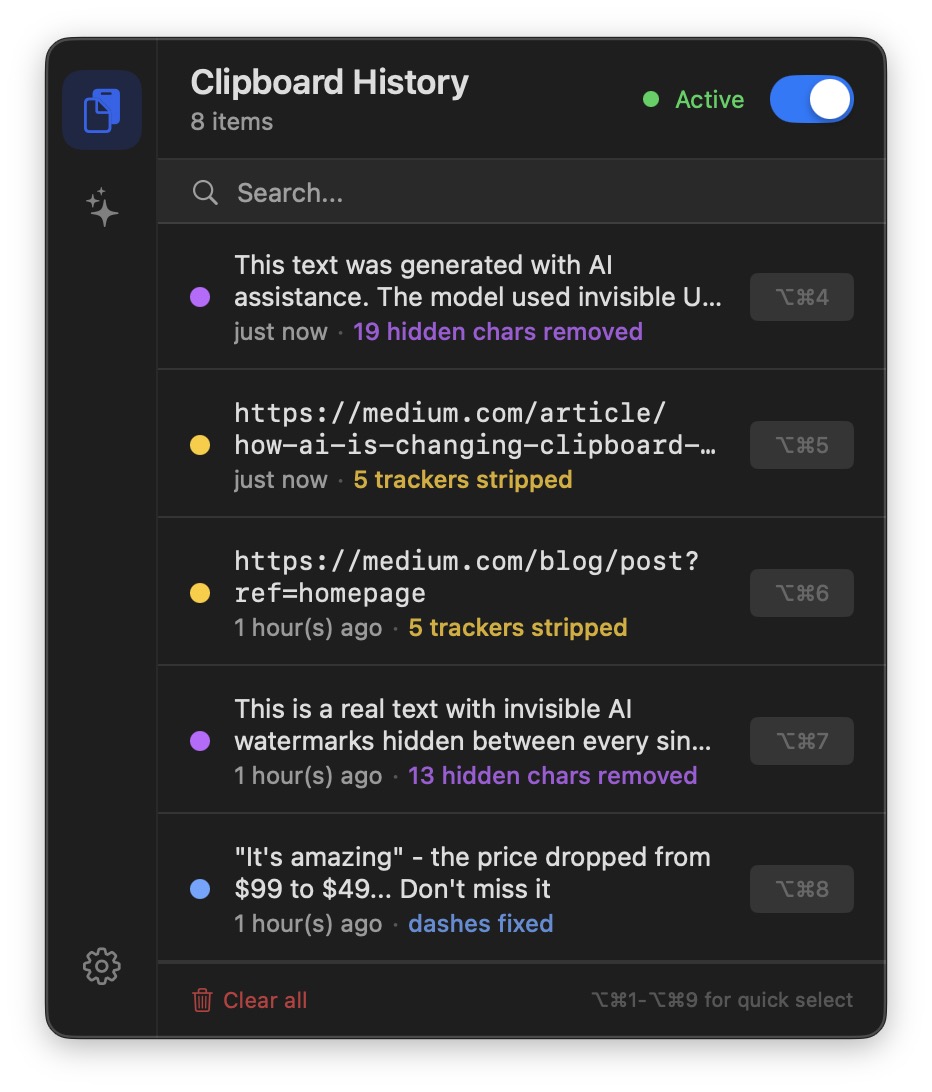
Up to 100 items, 72-hour TTL, full-text search. Everything is encrypted with AES-256-GCM and the symmetric key lives in the macOS Keychain. A cleaning summary shows exactly what was removed from each captured snippet.
03
Menu bar speed
Quick-paste ⌥⌘1–9 for the first nine items, hover copy and delete actions, color-coded badges for cleaning results. No Spotlight, no window — one shortcut, you're done.
04
Privacy by default
No analytics, no telemetry, no required account. Works offline. Ships with a PrivacyInfo.xcprivacy manifest and a transparent list of macOS permissions it asks for.
Technical details
Under the hood
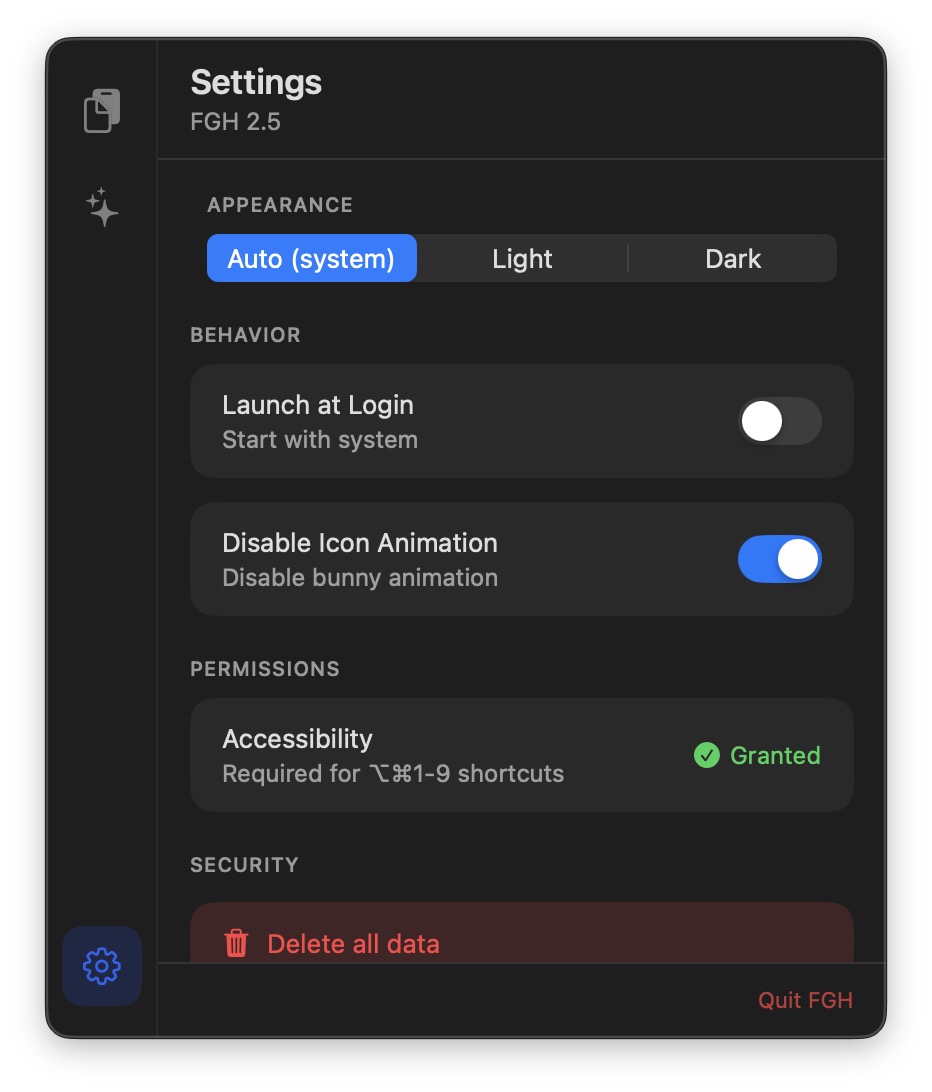
For the quick-paste ⌥⌘1–9 shortcuts to work, the app asks for an Accessibility permission in System Settings — it's required to simulate ⌘V into the active application. Without it, history, search, and Clean Text still work; only the auto-paste step falls back to a manual ⌘V.
No other background permissions are requested. All data stays on your Mac.
Try it on your Mac
Run the build on an Apple Silicon Mac (macOS 14.6 or later), copy a few links or chunks of text from ChatGPT, and watch what the app strips out. The icon lives in the menu bar.
If the download is temporarily unavailable, contact me and I'll send the build directly.